
TL;DR

Get beauty and skincare favorites delivered free with Prime
- Fast, free delivery on millions of items
- Prime Video, Amazon Music and more included
- Member-only deals all year
Prebuilt AI workstations now often match or beat DIY in price thanks to component shortages and bulk buying. They offer faster setup, validated thermals, and support, but you trade control for convenience. Decide based on your priorities, not assumptions.
Building your own AI workstation used to be the clear winner for saving money. But in 2026, that’s no longer the case. But in 2026, that’s no longer the case. Supply chain issues and skyrocketing component prices have turned the DIY advantage into a gray area.
Now, buying prebuilt can save you time, reduce troubleshooting, and offer validated thermal and power setups. The choice isn’t just about dollars anymore — it’s about speed, support, control, and peace of mind. Here’s what you need to know to make the right call for your AI projects.
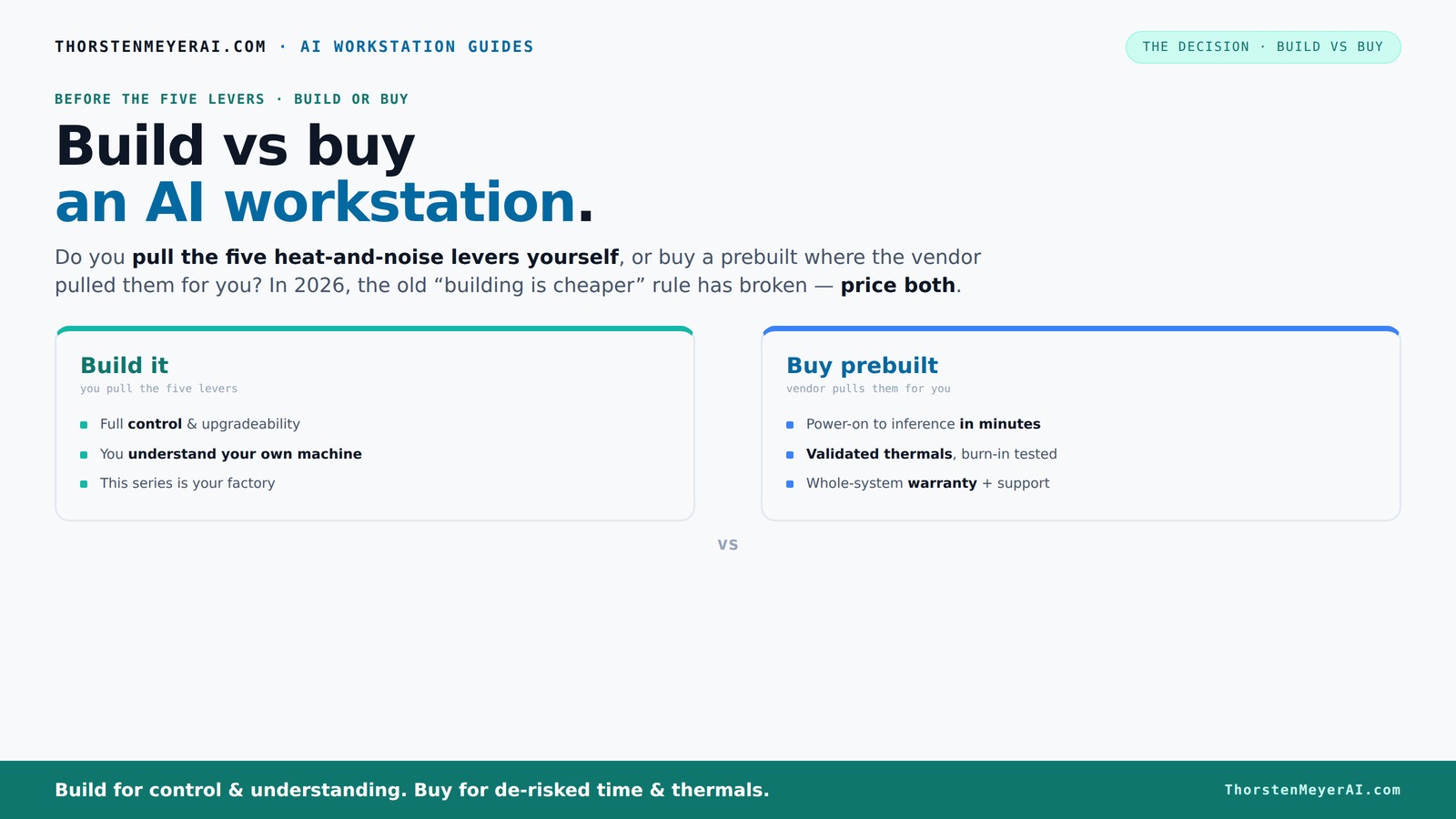
Build vs buy
an AI workstation.
The real question behind this whole series: do you pull the five heat-and-noise levers yourself, or buy a prebuilt where the vendor pulled them for you? And in 2026, the old “building is cheaper” rule has broken. Match your situation in Part 3.
Key Takeaways
- Component shortages in 2026 mean prebuilt AI workstations can cost as much or less than DIY, breaking the old rule that building is always cheaper.
- Support, validated thermals, and reduced troubleshooting make prebuilt systems ideal for professional AI workloads.
- Thermal management and GPU choice are critical — prebuilt vendors optimize these for you, while DIY requires skill and effort.
- Proprietary parts in prebuilts can limit future upgrades, so consider long-term flexibility when choosing.
- AI hardware accelerators like NPUs are increasingly common in prebuilts, boosting performance and reducing power use.
As an affiliate, we earn on qualifying purchases.
What Exactly Is a Prebuilt AI Workstation Today?
A prebuilt AI workstation isn’t just a PC assembled from parts. It’s a machine tested for heat, noise, and stability, ready to run demanding AI workloads right out of the box. Companies like Lambda and Puget Systems donance systems that undergo hours of stress testing and thermal validation.
These rigs often include enterprise-grade cooling, custom power delivery, and software stacks pre-installed, saving you days of setup. Think of it as a turn-key solution, with all the bugs squashed before it reaches you. Prebuilt AI workstations often include enterprise-grade cooling, custom power delivery, and software stacks pre-installed, saving you days of setup.
As an affiliate, we earn on qualifying purchases.
Who Should Just Buy and Who Should Build?
If you value plug-and-play, support, and reliability, buying a prebuilt makes sense. For example, a data scientist running multi-day training jobs will appreciate the validated thermals and warranty coverage from a vendor.
On the other hand, if you love tinkering, need custom hardware, or want to optimize every dollar, building might still be your thing. Hobbyists and students often find DIY more rewarding and flexible—plus, it can be cheaper if you shop smart.
Consider your priorities: speed and support or control and customization.
As an affiliate, we earn on qualifying purchases.
The Real Cost Breakdown: Hardware, Support, and Downtime
| Factor | Build Your Own |
|---|---|
| Hardware cost | Lower if you shop carefully, but prices for GPUs, RAM, and SSDs have surged in 2026. Building now often costs $1,250+ for a capable setup. |
| Labor and time | Significant — assembling, troubleshooting, BIOS tuning, and testing can take days or weeks. |
| Support and warranty | Limited unless you buy extended support or assemble with proprietary parts. DIY owners troubleshoot on their own. |
| Downtime risk | High if components conflict or thermal issues occur. You’re on your own when troubleshooting hardware failures. |
In contrast, prebuilt systems often cost a bit more upfront but include professional validation, support, and warranties that reduce unexpected downtime. Sometimes, their bulk-buying power lets them match or beat DIY prices.
professional AI workstation support
As an affiliate, we earn on qualifying purchases.
As an affiliate, we earn on qualifying purchases.
Why GPU Choice and Thermal Management Matter More Than Ever
For AI workloads, your GPU is king. A prebuilt often includes validated multi-GPU configurations with water cooling, reducing noise and heat. DIY builders can get similar performance, but it demands expertise in undervolting, airflow tuning, and custom cooling.
Take the example of a 4090 GPU. Prebuilt systems from Lambda or BIZON fine-tune fan curves and thermal pads, often lowering noise by 30% and temperatures by 10°C compared to off-the-shelf parts.
Building your own means pulling those five levers yourself: undervolting the GPU, matching cooler performance, optimizing airflow, tuning fans, and choosing the right case. It’s rewarding but requires skill and patience.
Why does this matter? Because thermal management directly impacts performance and longevity. Poor cooling can cause thermal throttling, which reduces GPU speed during intense tasks, leading to longer training times or inconsistent results. Conversely, well-optimized thermal solutions in prebuilts ensure sustained performance, which is crucial for professional workloads where time and reliability are paramount.
The Hidden Risks of Proprietary Parts and Upgrade Paths
Prebuilt systems sometimes use proprietary motherboards, power supplies, or connectors. This can make future upgrades tricky or impossible without replacing the entire system. For example, swapping GPUs in a custom OEM rig might void the warranty.
Building your own offers easier upgrade paths—swapping in a new GPU or adding more RAM is straightforward if you choose standard parts. But OEM prebuilts might lock you into their ecosystem for support and repairs.
Think of it like buying a car with proprietary parts versus a modular PC—one is easier to fix or upgrade later. This matters because AI workloads evolve rapidly, and your hardware needs to keep pace. If your system can't be upgraded easily, you risk obsolescence or costly replacements down the line.
Energy Efficiency and AI Hardware Acceleration
In 2026, many prebuilt AI workstations include not just GPUs but also dedicated NPUs or AI accelerators. These offload tasks, reduce power draw, and speed up inference.
For example, a system with an onboard NPU can perform certain AI operations at half the power and twice the speed compared to GPU-only setups.
Building your own can incorporate these features if you pick the right components, but prebuilt systems often validate these configurations for you. This validation reduces the trial-and-error phase, saving time and preventing costly mistakes. It also ensures optimal performance and energy efficiency, which are critical considerations when deploying AI at scale or in energy-conscious environments.
When Does a prebuilt Make the Most Sense?
If you need your AI workstation up and running today, a prebuilt is the way to go. It arrives ready with software stacks and validated thermals, cutting setup time from days to hours.
For example, a professional deploying multiple models overnight benefits from the reliability and support bundled with a prebuilt.
Plus, if your workload involves sustained GPU use, having a vendor who runs burn-in testing and offers support can prevent costly thermal throttling or hardware failures. This proactive validation can mean the difference between a smooth deployment and unexpected downtime, especially when deadlines are tight or uptime is critical.
When Building Is Still the Right Choice
If you enjoy the process, need total control, or want to optimize costs, building your own system remains appealing. Hobbyists and researchers who tweak cooling or hardware configurations will find DIY rewarding.
For example, you can choose a quieter case, undervolt components, and get exactly the hardware you want—no compromises.
Plus, if your project involves custom hardware or experimental setups, building is the only option. It also allows you to tailor the system precisely to your specific workload, which can be essential for cutting-edge research or niche applications where off-the-shelf solutions fall short.
Frequently Asked Questions
Is it cheaper to build or buy a prebuilt AI workstation?
In 2026, component shortages have made prebuilt systems often match or beat DIY prices. The total cost depends on your specific configuration and whether you value support and quick deployment.Which option gives better performance for AI tasks?
Both can deliver high performance, but prebuilts often include validated, optimized thermal setups and AI accelerators like NPUs, which can boost performance and efficiency right out of the box.How much RAM and GPU VRAM do I need?
For most AI workloads, 32GB of RAM and a GPU with at least 24GB VRAM (like the RTX 4090 or A100) are recommended. The exact specs depend on your model size and inference or training needs.Is a prebuilt workstation reliable enough for professional use?
Yes. Reputable vendors run extensive burn-in testing, offer warranties, and provide support, making prebuilts a dependable choice for critical AI tasks.Will I be able to upgrade the GPU later?
It depends. Many prebuilts use proprietary parts, which can complicate upgrades. Building your own system generally gives easier access to standard components for future upgrades.Conclusion
The choice isn’t just about saving a few dollars. It’s about how quickly you can start, how reliable your system will be, and how much control you want over the hardware and setup. In 2026, the best AI workstations combine the best of both worlds.
Remember: the right system depends on your needs, skills, and patience. Whether you build or buy, focus on what gets you to your AI goals faster and smoother.
Fall Picks
fall essentials
As an affiliate, we earn on qualifying purchases.