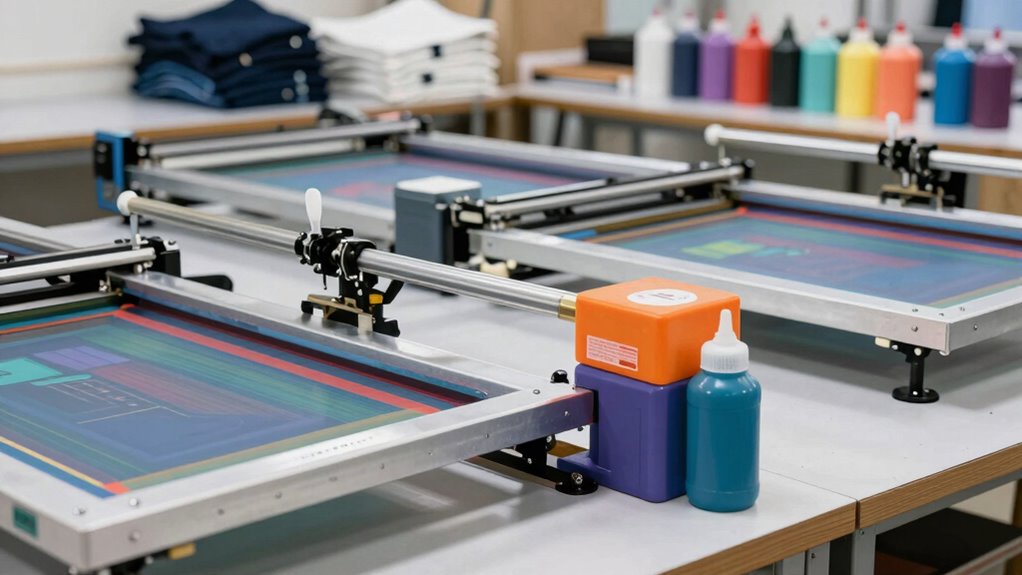
A beginner-friendly screen printing machine needs to balance three things: ease of setup, forgiving operation, and room to grow — and that balance is exactly where most starter kits fall short. The VEVOR 4-Color 1-Station Press earns my best overall pick because its rotating carousel and micro-registration support let you start with single-color prints today and add multicolor work later without buying a new press. If budget is the deciding factor, the 1 Color 1 Station Tabletop Press with dual spring tension is the simplest entry point, while the Caydo All-in-One Kit with 50W exposure light is the only option here that bundles everything a true first-timer needs. The main tradeoff you’ll face is versatility versus simplicity: 4-color presses demand more workspace and a steeper learning curve, but 1-color presses can feel limiting within months. Keep reading for the full breakdown, including which models to skip and why.

Get beauty and skincare favorites delivered free with Prime
- Fast, free delivery on millions of items
- Prime Video, Amazon Music and more included
- Member-only deals all year
Complete the kit


Key Takeaways
- Half of this lineup is some variation of a 1-color 1-station press, and they differ mainly in platen size, pallet removability, and spring tension — the dual-spring models held screens steadier for beginners still learning off-contact distance.
- Micro-registration, found on the 4 Color 1 Station Floor Press and both INTBUYING and TECHTONGDA models, is the single biggest differentiator for multicolor alignment, but it adds cost and complexity beginners may not need on day one.
- Only the Caydo All-in-One Kit includes an exposure light and consumables — every other machine here assumes you already own (or will buy separately) screens, emulsion, squeegees, and ink.
- Three presses in this roundup (the INTBUYING 24×20 and TECHTONGDA models) are marketed for PCB/SMT work as much as t-shirts, which changes platen design and makes them a niche choice for apparel-focused beginners.
- Tabletop presses dominated the value rankings, but floor-type models won on stability and long-term durability — the deciding factor is whether your workspace can accommodate a permanent floor unit.
| 1 Color 1 Station Screen Printing Press, Table Top Silk Screen Printing Machine |  | Best Starter Press for Solo Learning | Configuration: 1 color, 1 station | Printing Area: 22 x 18 in | Material: Steel plate with electrostatic spraying | VIEW ON AMAZON | See Our Full Breakdown |
| 4 Color 1 Station Screen Printer with Micro-Registration – Floor Type |  | Best for Multi-Color Growth | Color Capacity: 4 colors | Stations: 1 | Pallet Dimensions: 22 x 18 x 0.7 in | VIEW ON AMAZON | See Our Full Breakdown |
| VEVOR 1-Color, 1-Station Screen Printing Press |  | Best Budget Workhorse | Configuration: 1 color, 1 station | Printing Area: 21.2 x 17.7 in (54 x 45 cm) | Compatible Pallet Size: Up to 23.6 x 27.5 in (60 x 70 cm) | VIEW ON AMAZON | See Our Full Breakdown |
| VEVOR 4-Color 1-Station Silk Screen Printing Press |  | Best Compact Multi-Color Pick | Color Capacity: 4 colors | Stations: 1 | Printing Area: 21.3 x 17.7 in | VIEW ON AMAZON | See Our Full Breakdown |
| Caydo All-in-One Screen Printing Kit with 50W Exposure Light |  | Best Complete Starter Kit | Press Configuration: 1 color, 1 station | Exposure Light: 50W | Frames Included: 2 | VIEW ON AMAZON | See Our Full Breakdown |
| Caydo 1 Color 1 Station Silk Screen Printing Press |  | Best Budget Starter Press | Brand: Caydo | Configuration: 1 Color, 1 Station | Construction: Wood | VIEW ON AMAZON | See Our Full Breakdown |
| INTBUYING 24×20 inch Screen Printing Machine with Micro-Registration for PCB, SMT, T-Shirt DIY Printing |  | Best for Large and Hard Substrates | Platen Size: 24 x 20 inches | Platen Material: High-density melamine | Micro-Adjustment Range: 0.79 in (2cm) left-right and front-back | VIEW ON AMAZON | See Our Full Breakdown |
| INTBUYING 1 Color 1 Station Manual Screen Printing Press with Removable Pallet Bracket |  | Best Durable Workhorse for the Money | Brand: INTBUYING | Configuration: 1 Color, 1 Station | Printing Area: 22 x 18 in (55 x 45 cm) | VIEW ON AMAZON | See Our Full Breakdown |
| TECHTONGDA PCB Screen Printing Press with Micro-Registration |  | Best for Precision PCB Work | Brand: TECHTONGDA | Adjustment Type: 3D micro-registration | Screen Height Adjustment: Up to 6.7 inches | VIEW ON AMAZON | See Our Full Breakdown |
| Screen Printing Table Press Kit, 1 Color 1 Station, 22 x 18 Inch Printing Area, Removable Pallet for T-Shirt DIY Printing |  | Best Beginner Pick for Dedicated T-Shirt Printing | Configuration: 1 Color, 1 Station | Printing Area: 22 x 18 inches (55 x 45 cm) | Material: Steel plate with electrostatic spray finish | VIEW ON AMAZON | See Our Full Breakdown |
| screen printing machine for beginner | Configuration | Printing Area | Material |
|---|---|---|---|
| 1 Color 1 Station Screen Print | 1 color, 1 station | 22 x 18 in | Steel plate with electrostatic spraying |
| 4 Color 1 Station Screen Print | — | — | — |
| VEVOR 1-Color | 1 color, 1 station | 21.2 x 17.7 in (54 x 45 cm) | — |
| VEVOR 4-Color 1-Station Silk S | — | 21.3 x 17.7 in | Powder-coated carbon steel |
| Caydo All-in-One Screen Printi | — | — | — |
| Caydo 1 Color 1 Station Silk S | 1 Color, 1 Station | — | — |
| INTBUYING 24×20 inch Screen Pr | — | — | — |
| INTBUYING 1 Color 1 Station Ma | 1 Color, 1 Station | 22 x 18 in (55 x 45 cm) | Steel plate, electrostatic spray coating |
| TECHTONGDA PCB Screen Printing | — | — | Steel and aluminum alloy |
| Screen Printing Table Press Ki | 1 Color, 1 Station | 22 x 18 inches (55 x 45 cm) | Steel plate with electrostatic spray finish |
More Details on Our Top Picks
1 Color 1 Station Screen Printing Press, Table Top Silk Screen Printing Machine
For a true beginner, the appeal of this press comes down to one-hand operation and dual spring tension, two features that solve the most common frustration when you’re learning: inconsistent pressure that causes ghosting and uneven ink coverage. Compared with the VEVOR 1-Color Press, the spring-assisted screen lifting here means you can hold your substrate steady with one hand while pulling a squeegee with the other, which shortens the learning curve on your first dozen shirts. The steel build and electrostatic coating keep it stable on a desktop, though at 35 inches long it still wants a dedicated bench or table rather than a corner of your desk. The tradeoff is the classic single-color ceiling: once you want multi-color designs, you’ll outgrow it.
Pros:- Dual spring tension keeps pressure consistent across material thicknesses
- One-hand operation reduces fatigue during long practice sessions
- Sturdy steel construction minimizes shaking and ghosting
- Compact tabletop footprint fits a home studio
Cons:- Limited to one color and one station
- 22 x 18 in printing area is too small for oversized prints
- Still needs a dedicated table or bench despite the compact design
Best for: Complete beginners learning single-color prints on shirts and tote bags at home
Not ideal for: Anyone who already knows they want multi-color designs — you’ll hit the one-color wall quickly
- Configuration:1 color, 1 station
- Printing Area:22 x 18 in
- Material:Steel plate with electrostatic spraying
- Machine Size:35 x 18 x 13 in
- Net Weight:16.5 lb
- Mounting:Tabletop
Our verdict“The right first press if your goal is learning the fundamentals of single-color printing without fighting your own equipment.”
4 Color 1 Station Screen Printer with Micro-Registration – Floor Type
This is the pick for the beginner who already has commercial ambitions, because micro-registration is the feature that makes multi-color printing achievable rather than maddening. Getting two, three, or four layers of ink to line up by eye is where most newcomers quit; the fine-adjustment screws here let you nudge each screen into alignment instead of re-burning stencils. Compared with the VEVOR 4-Color 1-Station Press, this floor-type model gives you an adjustable stand rather than requiring a workbench, and the 360-degree rotating screen holder swings each color out of the way for flash curing between layers. The catch is the single station — you’ll load, print all colors, then unload, so production speed is limited, and assembly of the combination structure takes real effort out of the box.
Pros:- Micro-registration enables precise multi-color alignment
- 360-degree rotating screen holders simplify layer-to-layer workflow
- Adjustable floor stand means no workbench required
- Melamine pallet provides a smooth, durable print surface
Cons:- Single station caps production speed for order fulfillment
- Assembly of the combination structure is time-consuming
Best for: Small-business starters and hobbyists ready to learn multi-color prints without a carousel budget
Not ideal for: High-volume producers — one station means every shirt cycles through load, print, and unload sequentially
- Color Capacity:4 colors
- Stations:1
- Pallet Dimensions:22 x 18 x 0.7 in
- Screen Frame Capacity:Up to 1.2 in (3 cm) thick
- Screen Holder Rotation:360 degrees
- Stand:Adjustable height, floor type
- Pallet Material:High density melamine
Our verdict“The smartest step-up press for beginners who know multi-color work is the goal from day one.”
VEVOR 1-Color, 1-Station Screen Printing Press
Compared with the similarly configured 1 Color 1 Station Tabletop Press, this VEVOR trades spring-assisted lifting for a heavier cold-rolled steel body and, more usefully, compatibility with pallets up to 23.6 x 27.5 inches — meaning you can swap in a larger pallet later instead of buying a whole new press. The positioning stops are the standout for beginners: they give the screen a repeatable landing spot, which is what separates a crisp print from a smeared one when you’re still developing a consistent technique. It also handles more than fabric, covering paper, wood, glass, and leather, so it doubles as a general flat-substrate press. At 24.4 lb it’s sturdy but genuinely heavy to move around, and assembly is on you before the first print.
Pros:- Positioning stops improve print alignment and repeatability
- Compatible with larger aftermarket pallets up to 23.6 x 27.5 in
- Prints on fabric, paper, wood, glass, and leather
- Cold-rolled steel body with corrosion-resistant finish
Cons:- Single-color, single-station configuration limits design ambitions
- Assembly required and 24.4 lb weight makes relocation awkward
Best for: Budget-conscious beginners who want press versatility beyond T-shirts and room to swap a larger pallet
Not ideal for: Anyone wanting multi-color capability or a press they can move between rooms easily
- Configuration:1 color, 1 station
- Printing Area:21.2 x 17.7 in (54 x 45 cm)
- Compatible Pallet Size:Up to 23.6 x 27.5 in (60 x 70 cm)
- Body Material:Cold-rolled steel
- Surface Treatment:Electrostatic spraying
- Net Weight:24.4 lb (11.1 kg)
- Assembly:Required
Our verdict“A dependable, upgrade-friendly single-color press for beginners who want to grow into bigger platens rather than bigger machines.”
VEVOR 4-Color 1-Station Silk Screen Printing Press
This model occupies a middle ground the others don’t: it offers four-color capability like the floor-type 4-Color Screen Printer, but in a workbench-mounted footprint that fits a garage corner or spare room. What you give up for that compactness is micro-registration — color alignment here relies on the 360-degree rotation and careful screen adjustment, so expect a steeper learning curve on tight multi-color registrations than the floor model allows. The powder-coated carbon steel build and wide substrate compatibility (ceramics, glass, leather, plastics, and more) make it more versatile than the single-color presses in this lineup for anyone experimenting beyond garments. The bench-mount requirement is a real constraint: you’ll need a solid workbench, and renters or anyone without one should look at the floor-type alternative instead.
Pros:- Four-color capacity in a compact, workbench-mountable frame
- 360-degree rotation aids positioning across colors
- Handles clothing, wood, glass, ceramics, leather, and plastics
- Durable powder-coated carbon steel construction
Cons:- Lacks micro-registration, making tight color alignment harder than the floor-type 4-color press
- Requires workbench mounting for stability
- Single station limits throughput
Best for: Beginners with a home workshop and workbench who want four-color capability in minimal space
Not ideal for: Those without a sturdy workbench to mount it to, or anyone needing precise micro-registration for tight color work
- Color Capacity:4 colors
- Stations:1
- Printing Area:21.3 x 17.7 in
- Rotation:360 degrees
- Material:Powder-coated carbon steel
- Mounting Type:Workbench mount
- Compatible Materials:Clothing, fabrics, metals, paper, plastics, wood, glass, ceramics, leather
Our verdict“The space-efficient way into multi-color printing, provided you have a solid bench and patience for manual alignment.”
Caydo All-in-One Screen Printing Kit with 50W Exposure Light
Every other product here assumes you already own — or will separately buy — emulsion, a scoop coater, an exposure light, inks, and squeegees. This kit bundles all of it: a 1-color press, two frames, two squeegees, photo emulsion, six fabric inks, and a 50W exposure light, plus a T-shirt and canvas bag to print on for your first attempts. For a total beginner, that completeness matters more than press sophistication, because sourcing compatible components separately is where most first projects stall. Compared with the standalone 1 Color 1 Station Tabletop Press, the press itself here is more basic, and the one-color ceiling applies to the whole kit. The unspecified frame dimensions are also a nuisance — you’ll want to confirm sizes before buying replacement mesh or additional frames. Still, as a guided on-ramp to the craft, nothing else in this lineup removes as many barriers to the first print.
Pros:- Includes press, frames, squeegees, emulsion, and 50W exposure light
- Six fabric ink colors cover most beginner design ideas
- Practice surfaces (T-shirt and canvas bag) included
- Tools and instructions guide first-time setup
Cons:- Limited to one-color printing with no upgrade path
- Frame dimensions not specified, complicating replacement parts
Best for: Absolute beginners who want everything in one box for a first screen printing project, with nothing to source separately
Not ideal for: Hobbyists who already own exposure equipment and inks — the basic bundled press would be a downgrade
- Press Configuration:1 color, 1 station
- Exposure Light:50W
- Frames Included:2
- Squeegees Included:2
- Fabric Inks:6 bottles, 6.8 fl oz each
- Ink Colors:Black, white, red, yellow, blue, green
- Included Surfaces:White T-shirt and canvas bag
Our verdict“The fastest route from unopened box to finished print for someone starting from zero equipment.”
Caydo 1 Color 1 Station Silk Screen Printing Press
Most entry-level presses in this roundup, like the INTBUYING 1 Color 1 Station, ask you to buy separate frames and figure out compatibility on your own. The Caydo flips that script by supporting three specific frame sizes out of the box, so a true first-timer can order matching screens without guesswork. Its wood construction keeps the price and weight down — at under 7 pounds, this is the only press here you can store on a shelf between weekend projects.
The tradeoff is permanence. Where the steel INTBUYING model feels like workshop equipment, the Caydo feels like a craft tool: fine for tote bags and single-color tees, but the base groove alignment system only goes so far when you want consistent registration across a small batch. Compared with the VEVOR 1-Color Press, it gives up stiffness and long-term durability in exchange for simplicity and cost savings.
Pros:- Supports three common frame sizes (10×14, 8×12, 6×10 in) for easy matching
- Base groove and centerline keep garments aligned without extra jigs
- Extremely lightweight at under 7 pounds for storage and portability
- Simple installation with no tools or table-mounting required
Cons:- Wood construction flexes more than steel under repeated squeegee pressure
- Requires separate compatible frames, adding hidden cost
- Single color and station limits growth beyond basic projects
Best for: First-time hobbyists and crafters doing occasional single-color shirts, bags, or art prints who want the cheapest reliable entry point
Not ideal for: Anyone printing multiple garments per week or planning multi-color designs — the single station and wood build will hold back both speed and precision
- Brand:Caydo
- Configuration:1 Color, 1 Station
- Construction:Wood
- Compatible Frame Sizes:10 x 14 in, 8 x 12 in, 6 x 10 in
- Product Dimensions:18.5 x 12.99 x 2.76 inches
- Item Weight:6.96 pounds
Our verdict“This pick makes the most sense for casual crafters who want to try screen printing once before committing serious money or bench space.”
INTBUYING 24×20 inch Screen Printing Machine with Micro-Registration for PCB, SMT, T-Shirt DIY Printing
If your projects involve circuit boards, glass, or wood panels rather than just tees, this is the press built for that job. The oversized 24×20 inch melamine platen dwarfs the 17.7 x 14 inch pallet on the TECHTONGDA PCB Press, giving you room for oversized panels or batch placement of smaller items. The five micro-registration knobs allow 2cm of fine-tuned movement, which is the difference between a clean solder-paste print and a scrapped board.
Beginners should be honest with themselves here: unlike the plug-in-simple Caydo 1 Color Press, this machine expects assembly patience and an understanding of registration. The gravity hole device and sliding disc that stabilize heavy frames are genuinely useful, but they add setup steps that a t-shirt-only beginner doesn’t need. Frames are also sold separately, so budget accordingly.
Pros:- Extra-large 24×20 inch platen fits tall, hard substrates and batch layouts
- Five micro-registration knobs provide 2cm precision adjustment
- Anti-distortion, waterproof melamine platen survives ink and solvents
- Sturdy clamp with 3 fixing handles holds heavy screens steady
Cons:- Screen frame not included, adding to the true cost of getting started
- Assembly and registration setup can frustrate first-time users
Best for: Electronics hobbyists and makers printing PCBs, glass, metal, or oversized panels who need precise registration on hard surfaces
Not ideal for: T-shirt-focused beginners — the size, setup complexity, and hard-substrate focus are overkill for simple fabric printing
- Platen Size:24 x 20 inches
- Platen Material:High-density melamine
- Micro-Adjustment Range:0.79 in (2cm) left-right and front-back
- Screen Clamp Width:14.5 inches (370mm)
- Screen Clamp Height Adjustment:Up to 4.3 inches (110mm)
- Frame Thickness Capacity:Less than 2 inches (50mm)
- Screen Frame:Not included
Our verdict“Choose this if hard substrates and tight registration are your actual priority; skip it if you only want to print shirts.”
INTBUYING 1 Color 1 Station Manual Screen Printing Press with Removable Pallet Bracket
This is the press for the beginner who plans to outgrow beginner status. The steel plate construction with electrostatic spray coating gives it a rigidity the wood-based Caydo 1 Color Press simply can’t match, which means more consistent prints as your squeegee technique improves. With a 22×18 inch printing area and a clamp that adjusts up to 5cm vertically, it accepts larger frames than most starter presses, and the dual tension springs keep lighter screens from bouncing.
Two realities temper the appeal. First, it must be bolted to a table, so unlike the portable Caydo, you’re dedicating bench space — fine for a garage studio, awkward for a kitchen table. Second, the frames shown in product images aren’t included, so compare total cost against an all-inclusive kit like the Caydo All-in-One Screen Printing Kit before deciding. Compared with the nearly identical Screen Printing Table Press Kit below, the differences are minor; this one’s slight edge is versatility across substrates like ceramics and glass.
Pros:- Steel construction with corrosion-resistant finish outlasts wood starter presses
- Large 22×18 inch printing area handles adult tees and larger flat items
- Adjustable clamp and dual tension springs suit varied frame weights
- Full hand-tool set included for straightforward assembly
Cons:- Requires permanent screw-mounting to a table, killing portability
- Screen frames not included despite appearing in product images
- No warranty coverage listed
Best for: Hobbyists ready to commit bench space to a sturdier press they won’t outgrow within a year
Not ideal for: Renters or shared-space makers who can’t drill into a table, or anyone wanting an all-inclusive kit with frames included
- Brand:INTBUYING
- Configuration:1 Color, 1 Station
- Printing Area:22 x 18 in (55 x 45 cm)
- Material:Steel plate, electrostatic spray coating
- Clamp Adjustment:Up/down within 5 cm
- Pallet Adjustment:Back and forth within 10 cm
- Net Weight:16.5 lbs
- Warranty:None
Our verdict“This model is better suited to someone building a small home studio than a casual crafter testing the waters.”
TECHTONGDA PCB Screen Printing Press with Micro-Registration
Where the INTBUYING 24×20 inch machine wins on raw platen size, the TECHTONGDA wins on positional precision. Its 3D micro-registration adjusts height up to 6.7 inches, plus left-right and front-back travel, while the included steel pallet with ruler and magnetic positioning strips lets you place a circuit board the same way every single time — the feature that matters most for solder-paste printing. The steel and aluminum alloy build keeps everything rigid without the bulk of INTBUYING’s frame.
The flip side is scale. With a recommended printing area of just 12×16 inches and a max frame of 13 x 17 x 2 inches, this press is deliberately specialized; anyone printing full-size tees or large panels should look at the INTBUYING models instead. Calibration is also manual, so expect a learning session before your first accurate print. This option stands out for accuracy per dollar, not versatility.
Pros:- 3D micro-registration enables highly accurate screen alignment
- Magnetic positioning strips and ruled pallet make repeat placement easy
- Handles PCB work plus paper, PVC, glass, metal, and plastic
- Steel and aluminum alloy construction stays rigid during fine work
Cons:- Small 17.7 x 14 inch pallet and 13 x 17 inch max frame limit project size
- Manual setup and calibration required before accurate printing
Best for: Electronics makers doing repeatable PCB solder-paste or red-glue printing who value repeatable alignment over print size
Not ideal for: T-shirt printers and anyone working with large substrates — the small pallet and frame limits will be immediate obstacles
- Brand:TECHTONGDA
- Adjustment Type:3D micro-registration
- Screen Height Adjustment:Up to 6.7 inches
- Left/Right & Front/Back Adjustment:Up to 3/4 inch
- Printing Pallet Size:17.7 x 14 inches
- Maximum Screen Frame Size:13 x 17 x 2 inches
- Material:Steel and aluminum alloy
- Included Accessories:4 magnetic positioning strips
Our verdict“Buy this for precision small-format electronics work; choose a larger platen press for anything garment-related.”
Screen Printing Table Press Kit, 1 Color 1 Station, 22 x 18 Inch Printing Area, Removable Pallet for T-Shirt DIY Printing
This press occupies a smart middle ground in the roundup. It shares the 22×18 inch printing area and steel electrostatic-spray construction of the INTBUYING 1 Color 1 Station, but its removable pallet is the standout for shirt printers — swap garments on and off faster, and clean the pallet without dismantling the press. Pallet travel of nearly 5 inches front-to-back also beats INTBUYING’s 10cm range, giving more room to position prints on sleeves or pockets.
The compromises are the familiar ones for this class: it’s one color, one station, and the frame isn’t included, so multi-color designs mean cure-and-reload gymnastics that a 4 Color 1 Station Press eliminates entirely. Like the INTBUYING, it must be screwed to a table. But if garment printing is the goal and budget can’t stretch to a rotatable multi-color unit, this option stands out as the most shirt-focused single-color press of the batch.
Pros:- Removable pallet speeds garment changes and simplifies cleaning
- Generous 22×18 inch area with 4.72 inch pallet adjustment for print placement
- Durable steel construction with an easy-to-clean finish
- Hand tools included so setup needs no extra purchases beyond a frame
Cons:- Screen frame not included
- Requires semi-permanent table mounting with screws
- Single color and station caps output and design complexity
Best for: DIY t-shirt printers setting up a dedicated home station who want garment-friendly features at a single-color price
Not ideal for: Anyone planning multi-color designs or needing a press that can move between locations — neither is realistic here
- Configuration:1 Color, 1 Station
- Printing Area:22 x 18 inches (55 x 45 cm)
- Material:Steel plate with electrostatic spray finish
- Frame Clamp Adjustment:Up/down within 5 cm (1.97 inches)
- Pallet Adjustment:Back/forth within 12 cm (4.72 inches)
- Pallet:Removable
- Mounting:Table-mounted with screws
- Screen Frame:Not included
Our verdict“If shirts are your end goal and multi-color presses are out of budget, this is the single-color press to get.”

How We Picked
I judged every press here against what actually trips up first-time screen printers: setup friction, registration accuracy, build stability, and whether the machine grows with your skills. A beginner press earns its place by making single-color prints repeatable — steady screen clamps, a flat platen, and enough weight to resist shifting mid-pull. From there, I rewarded machines that offer a clear upgrade path, meaning 4-color capability or micro-registration that stays useful after the learning phase, rather than gear you outgrow in one season.
I also weighed practicality heavily: floor presses score higher on stability but demand dedicated space, while tabletop models win on flexibility and price. Kits that include exposure equipment were evaluated as complete workflows, not just presses. Finally, I penalized machines whose multi-role designs (PCB printing, odd platen sizes) create confusion for someone whose real goal is printing shirts, tote bags, or posters at home.
| screen printing machine for beginner | Material |
|---|---|
| 1 Color 1 Station Screen Print | Steel plate with electrostatic spraying |
| 4 Color 1 Station Screen Print | — |
| VEVOR 1-Color | — |
| VEVOR 4-Color 1-Station Silk S | Powder-coated carbon steel |
| Caydo All-in-One Screen Printi | — |
| Caydo 1 Color 1 Station Silk S | — |
| INTBUYING 24×20 inch Screen Pr | — |
| INTBUYING 1 Color 1 Station Ma | Steel plate, electrostatic spray coating |
| TECHTONGDA PCB Screen Printing | Steel and aluminum alloy |
| Screen Printing Table Press Ki | Steel plate with electrostatic spray finish |
Factors to Consider When Choosing Screen Printing Machine For Beginners
The right starter press depends less on specs and more on what you plan to print, where you’ll print it, and how quickly you expect to outgrow single-color work. These are the factors that actually move the decision.1-Color Versus 4-Color: Buy for Year Two, Not Day One
The most common beginner mistake is buying the cheapest 1-color press, then discovering that multicolor designs — which is where screen printing gets fun and commercially useful — require a completely different machine. A 4-color 1-station press lets you rotate pre-registered screens into position one at a time, so you can print multiple colors without a carousel assistant or perfect re-clamping. That said, 4-color capability is worthless if you haven’t mastered ink consistency and off-contact distance on a single color first. My honest advice: if you have the budget and floor space, buy the 4-color press and simply use one head. If money is tight, a quality 1-color press will teach you 90% of the craft — just know its resale value drops fast once you want multicolor work.
Micro-Registration: The Feature That Separates Frustration From Fun
Registration is the process of aligning each color layer so they stack without gaps or overlaps, and it is where beginners lose the most time and morale. Micro-registration adds fine adjustment knobs that nudge a screen fractions of a millimeter without unclamping it — the difference between a 30-second fix and a 20-minute teardown. Presses without it rely on loose clamp screws and eyeballing, which works for single-color prints but becomes genuinely painful with two or more colors. If your goal is anything beyond one-color merch, treat micro-registration as a must-have, not a luxury. If you only ever plan simple single-color prints, skipping it saves real money with no real loss.
Tabletop Versus Floor-Type: Stability Meets Space Reality
Tabletop presses clamp or bolt to a workbench, cost less, and store away easily — but they transfer vibration and wobble to your bench, which shows up as ghosting and blurry edges on prints. Floor-type presses stand on their own steel legs, stay rock-steady during squeegee pulls, and typically accept larger platens, at the cost of a permanent footprint and a higher price. A sturdy old workbench can make a tabletop press perfectly serviceable; a wobbly folding table will sabotage even a good machine. Before choosing, honestly measure your workspace and test whether your bench moves when you push on it. Many beginners underestimate how much downward force a firm squeegee stroke applies.
Press Versus Kit: The Hidden Cost of ‘Machine-Only’ Purchases
Most machines in this category ship as bare presses — no screens, no squeegee, no emulsion, no exposure light — and first-timers are often surprised that the press is only about half the total cost of a working setup. An all-in-one kit bundles a exposure lamp, films, emulsion, and ink so you can burn your first screen the day the box arrives, trading component quality for convenience. Buying pieces separately gets you better gear overall but requires research on compatible screen sizes and exposure times. If you’ve never burned a screen before, a kit flattens the learning curve dramatically. If you already understand the photo-emulsion process, a bare press plus hand-picked consumables is the stronger long-term play.
Platen Size and Removability: Match It to What You Print
The platen (the flat pallet the shirt sits on) determines your maximum print area, and a 22 x 18 inch platen comfortably handles adult XL tees, hoodies, and even small poster runs, while smaller platens force compromises on youth-versus-adult sizing. Removable pallets matter more than beginners expect: swapping platens lets you print sleeves, pockets, or tote bags without improvising with cardboard and tape. Multi-role machines designed for PCB or SMT printing sometimes have platens and registration systems optimized for circuit boards rather than fabric — fine if you actually do electronics work, awkward if you don’t. Check the platen’s edge treatment too; a slightly rounded, well-taped edge keeps shirts from snagging during off-contact printing.
Build Quality Signals to Check Before Buying
You can’t inspect these presses in person, so lean on material and design signals: powder-coated carbon steel construction resists ink corrosion far better than bare metal, and dual or heavy-duty spring tension on the screen arms keeps off-contact height consistent between prints. Look at the head-to-arm connection — cast metal fittings outlast stamped brackets, and wobble at that joint is the number-one source of blurred prints on cheap presses. Check whether replacement parts and screens in the machine’s specific channel width are easy to find, because proprietary sizes lock you into one supplier. Finally, read how the machine ships: presses that arrive needing full assembly with vague instructions cost you an afternoon and sometimes missing hardware. A few minutes of this research prevents the classic beginner regret of a press that flexes under normal use.
Frequently Asked Questions
Can I learn screen printing on a 1-color press, or will I need to upgrade right away?
A 1-color press teaches you nearly everything that matters — ink consistency, squeegee angle, off-contact distance, and flash curing — so it’s a legitimate learning tool, not a throwaway. The upgrade pressure comes only when you want multicolor designs, since a 1-station machine can’t hold multiple registered screens. Many beginners print single-color shirts, totes, and posters for a year before feeling that limit. If you already know you want multi-color merch soon, a 4-color 1-station press like the VEVOR model costs more upfront but eliminates the upgrade entirely. If you’re still testing whether screen printing sticks as a hobby, the cheaper 1-color path wastes far less money if you bail.
Do I need micro-registration as a beginner?
If you’re printing single-color designs, no — you’ll register by eye in a few seconds and micro-adjustment knobs will just sit unused. The moment you add a second color, micro-registration becomes the difference between a quick knob turn and repeatedly loosening clamps to chase alignment by fractions of a millimeter. Beginners often underestimate how demoralizing poor registration is; misaligned layers are the most common reason first multicolor prints end up in the trash. My suggestion is to skip micro-registration only if you’re confident you’ll stay single-color, or your budget forces the choice. Otherwise it’s the single feature most worth stretching for, and the 4 Color 1 Station Floor Press and INTBUYING models carry it at accessible price points.
Are all-in-one screen printing kits actually good, or should I buy the press separately?
Kits like the Caydo All-in-One trade component quality for completeness, and for a true first-timer that trade is usually worth it. The bundled exposure light removes the scariest unknown — burning your first screen — because the timings are pre-matched to the included emulsion. Buying a bare press plus separate consumables gets you a better machine and better screens, but you’ll research emulsion types, exposure distances, and screen mesh counts on your own, which can stall beginners for weeks. The pragmatic middle path: start with a kit, learn the full workflow, then upgrade the press once you know which features you actually miss. What you shouldn’t do is buy a bare press assuming ink and screens are included, because they almost never are.
Will a tabletop press wobble and ruin my prints?
It depends almost entirely on what you mount it to, not the press itself. Bolted to a solid workbench or a heavy DIY table, a tabletop press like the VEVOR or Caydo 1-color models prints cleanly — the machines themselves are rigid. Clamped to a folding table or lightweight desk, every squeegee pull flexes the whole system and you’ll see blurred edges and inconsistent ink deposit. Test your bench before blaming the press: push down hard on one corner and watch for movement. If your bench fails the test, either reinforce it, add weight to its base, or accept that a floor-type press is the more stable long-term solution. This is the hidden reason some beginners swear tabletop presses are junk while others love them.
What’s the difference between the t-shirt presses and the PCB screen printing machines here?
Machines like the INTBUYING 24×20 and the TECHTONGDA PCB press are built for printing solder paste or etching resist onto circuit boards, which changes their design in subtle but important ways. Their platens and registration systems prioritize flat, rigid substrates at precise small scales rather than stretchy fabric draped over a pallet. Printing t-shirts on them works, but you may fight platen shape, and features like fine Z-axis adjustment matter more for electronics than apparel. Choose one of these only if you genuinely do both PCB work and shirt printing, since the dual-purpose design serves neither perfectly. For pure apparel beginners, a dedicated t-shirt press with a fabric-friendly platen will feel noticeably more natural from the first print.
Conclusion
After comparing all ten machines, the right choice comes down to how fast you expect to grow. Best overall goes to the VEVOR 4-Color 1-Station Press, which pairs micro-registration support, a rotating head, and powder-coated steel construction into a machine that serves a beginner’s first print and their hundredth. Best value is the 1 Color 1 Station Tabletop Press with dual spring tension — the cheapest legitimate way to learn real technique, as long as you mount it to a solid bench. Best for absolute beginners is the Caydo All-in-One Kit, the only option that arrives with everything needed to burn and print a screen on day one. Best premium is the 4 Color 1 Station Floor Press with micro-registration, whose freestanding frame and precise adjustments justify the spend for anyone committed to multicolor work. For specific needs, the INTBUYING and TECHTONGDA presses suit makers who split time between electronics and apparel, while the compact INTBUYING 1-Color with removable pallet bracket fits small studios printing sleeves and pocket locations. Whatever you pick, remember that the press is only half the setup — budget for screens, ink, and an exposure solution before the box arrives.
Fall Picks
fall essentials
As an affiliate, we earn on qualifying purchases.